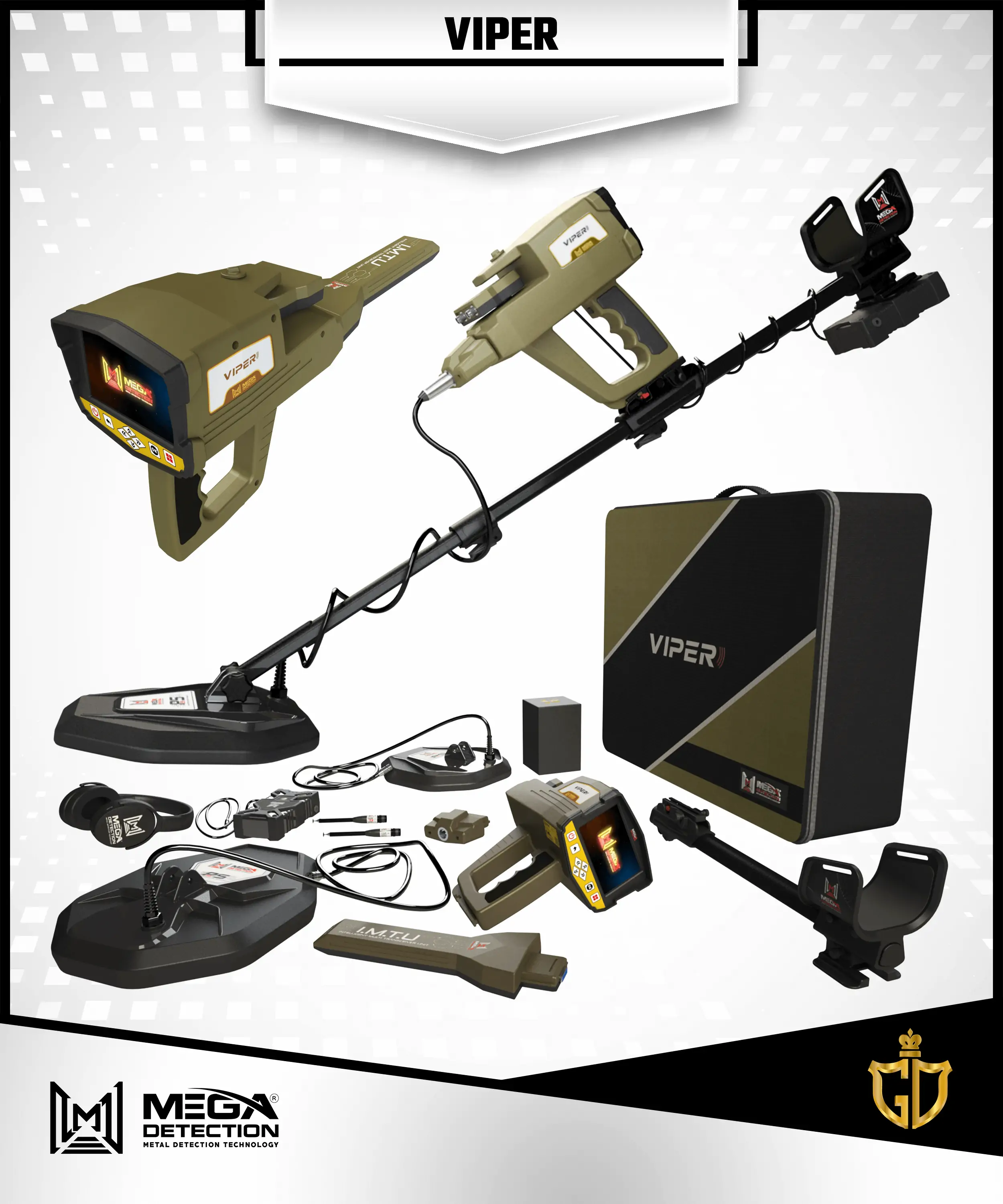
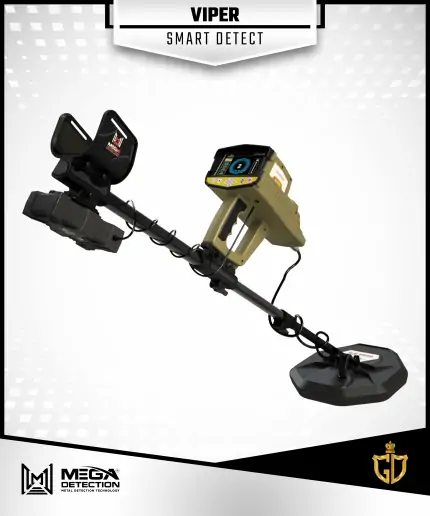
The Viber treasures and gold detector offers us the latest long-range sensor systems with new, ultra-accurate technologies that reach very large depths and long distances of up to 3000 meters, in addition to a highly sensitive audio system that was wonderfully featured for the first time in the device, along with a system for isolating non-precious metals with the utmost ease.
Viper is a versatile multi-systems metal detector with powerful detection tools and different technologies that meet all needs of any serious prospector or treasure hunter, combines ease of use with complete control of detection settings and results visualization.
Device Features
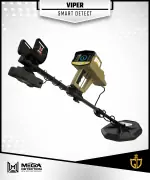
Viper incorporates powerful Long-Range locator technology for remote target detection, plus a unique ionic field detection technology best for ancient burials detection, and the brand new Smart Detect technology based on enhanced Pulse Induction technology best for detection of small targets like coins , gold nuggets , jewelry and relics.
Mega Detection offers through Viper a professional-level metal detector with great features at best price tag to fit the needs of wide range of professional prospectors around the world.
Viper brings the possibility of detecting all kind of metal targets through a modern and simplified multilingual graphical user interface that incorporate ease of use, a smooth visual menu system and screens that provides the user with the necessary tools to adjust search systems options and see the results on the device screen through visual indicators accompanied by acoustic feedback.
Viper is a versatile multi-systems metal detector with powerful detection tools and different technologies that meet all needs of any serious prospector or treasure hunter.
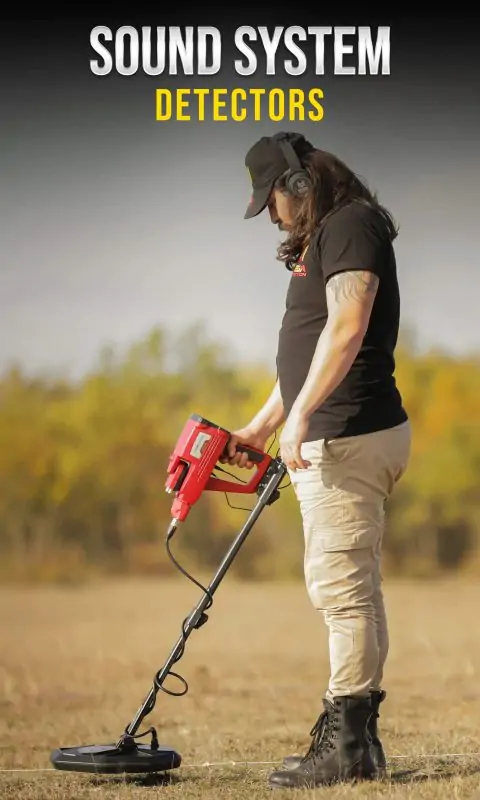
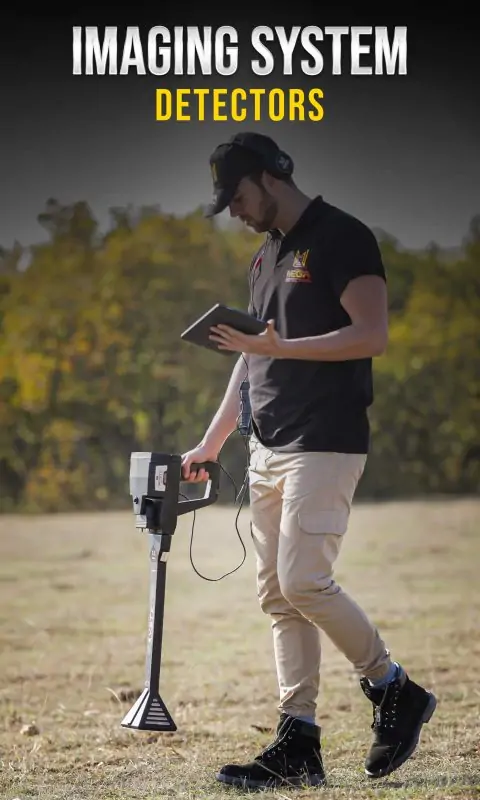
Viper has 6 Search systems offering all required tools for all metal detection applications.
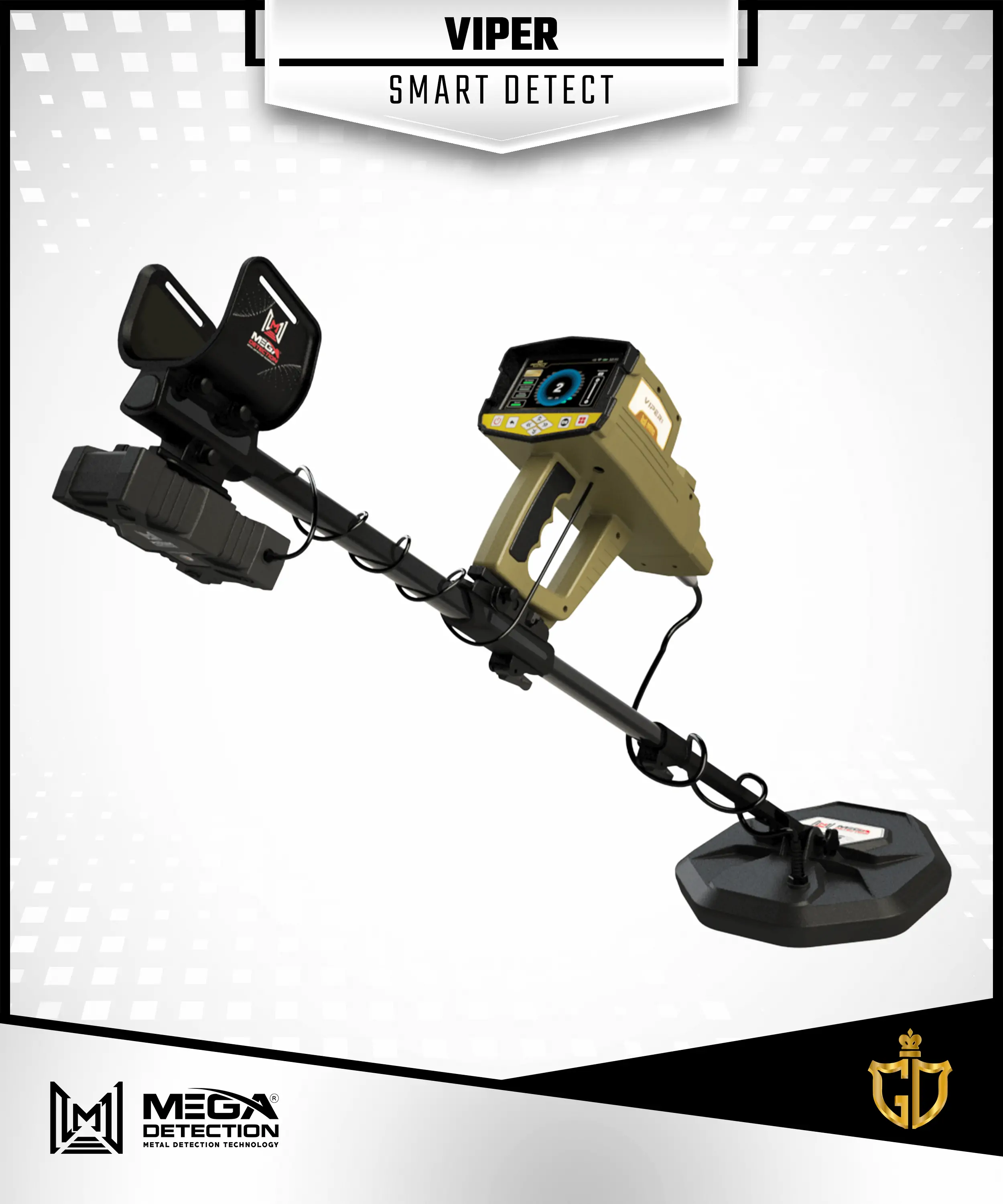
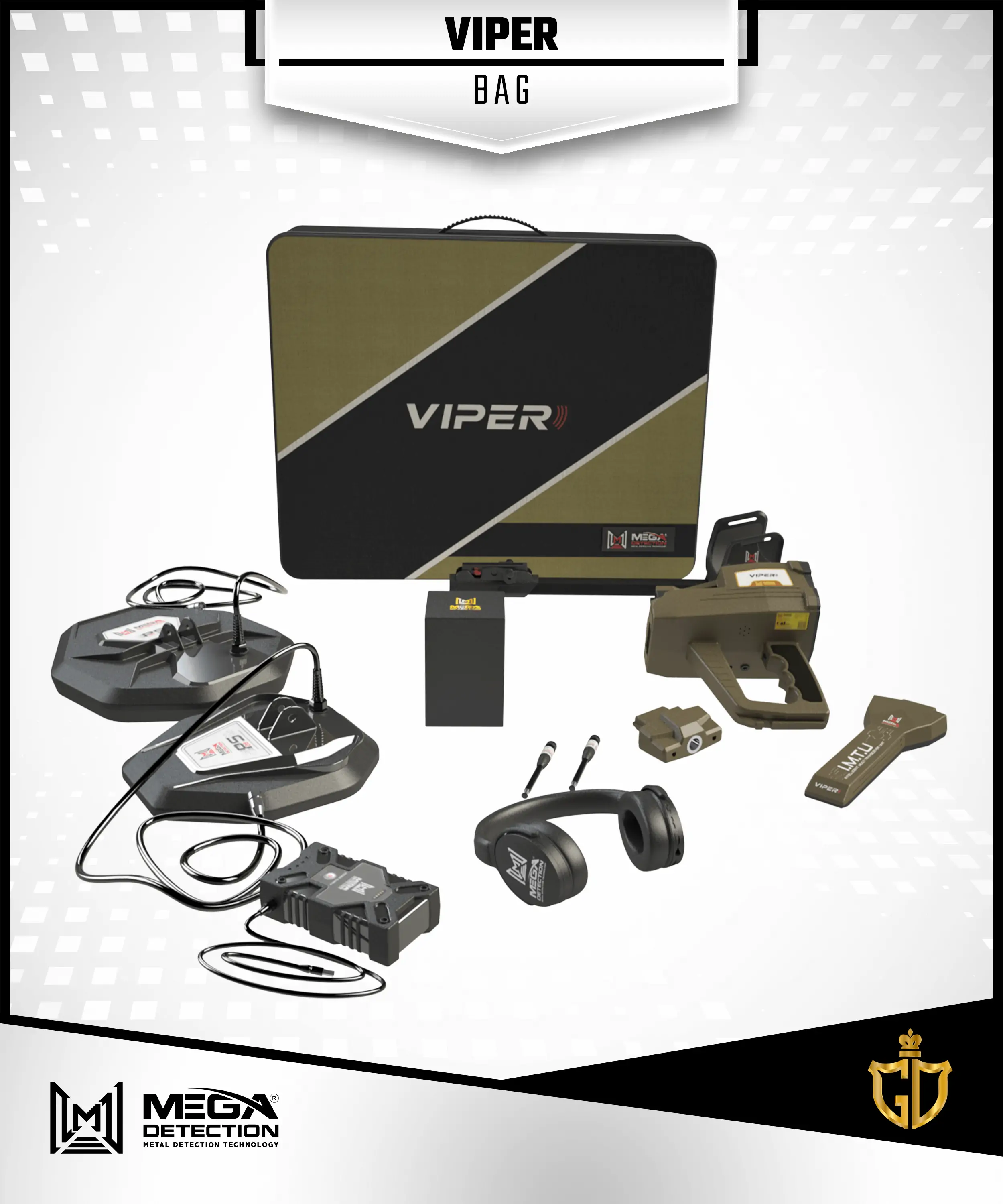
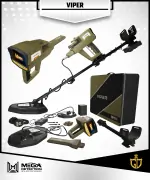
Modern design of the Viper device and its accessories made of high-quality materials that combine light weight and beautiful appearance, with ease in installation and disassembly, while providing the best experience of use for the prospector in search fields.
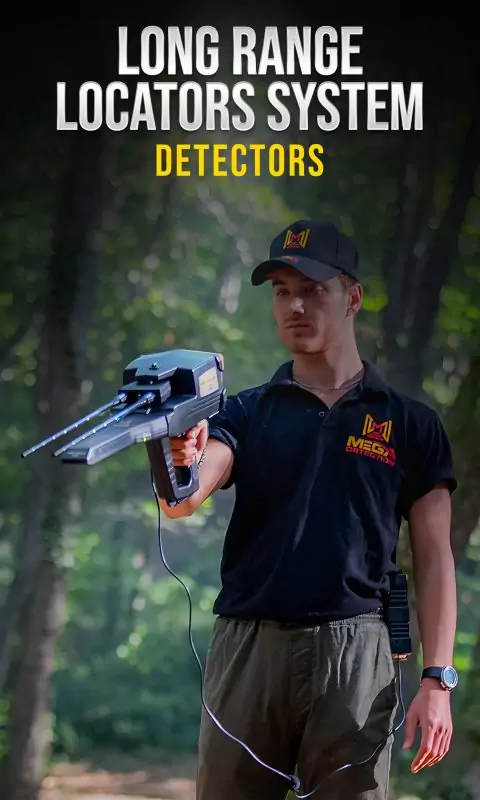
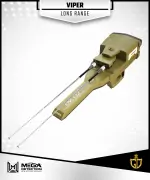
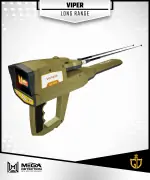
Brand new long-range locator Viper metal detection technology with enhanced detection performance, wider scan range up to 3000 m and great depth range that reach 50 meters .
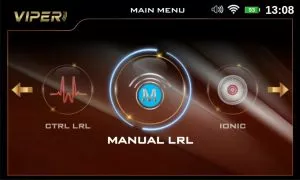
3 Long Range Locator (LRL) sub-systems including: Auto LRL, Manual LRL, CTRL LRL with different options to customize the search process and visual indicators on device screen to get best results.
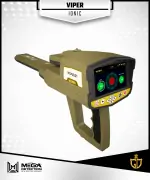
Powerful Ionic field detection technology with customizable options to find hard to find treasures.
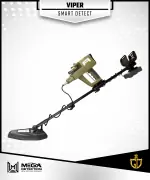
Brand new Smart Detect Viper system with two modes via PS36 and PS28 search coils ,a perfect choice for prospectors to find natural gold nuggets, small relics, jewelry, coins and other metal types at small depths.
5 Inch large size LCD screen for more comfortable experience during settings adjustment and reading or seeing visual indicators that displayed on screen.
Powerful modern easy to use graphical software program available in 12 international languages, taking into account the latest developments in the field of user experience, enabling easy selection of search systems , adjustment of Viper search settings and selecting search programs, adjusting distance and depth range, and viewing results in visual manner.
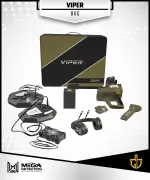
Operated via an external lithium-polymer battery located in a distinctive designed plastic box for better portability and replacement, the battery can be recharged and guarantee a long period of operation time.
DEVICE Viper PROGRAM FUNCTION
Modern Software Program
The user interface of the Viper software program was designed according to the latest modern software technologies in the field of interface design according to an attractive modern design with a consistent color theme and graphical icons that present the search systems, options and settings of the device in an easily understandable way for the novice or professional user alike.
The Viper design of the screens and controls has been taken into account the best guidelines of user experience that provide the user with the best possible, flexible and easy use of the device while providing ease of control to adjust the different values and settings related to the various search systems available in the device.
Search Systems Screen
It allows the user to choose the search system by selecting the search system icon from the list via the buttons on the control panel.
User can choose between 6 different search systems in Viper, which were previously explained in detail.
Language Screen
In order to provide Viper for all prospectors around the world, the device’s program and interfaces are available in different and most spoken international languages, including the most important languages in the world.
The user interface language can be easily changed within the device’s settings and user can choose from 12 languages to cover most countries around the world.
Viper Supported languages includes:
1- German
2- English
3- French
4- Spanish
5- Russian
6- Italian
7- Arabic
8- Hebrew
9- Persian
10- Turkish
11- Urdu
12- Chinese
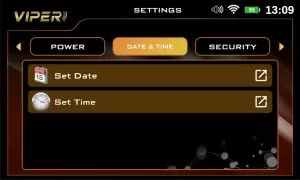
Date & time Settings
One of the useful features for the user of the Viper is the ability to set the date and time to match the real date and time, and the device keeps these values even if it is turned off.
The device displays a digital clock that includes the current time and appears continuously at the top right of the screen to enable the user to know the time when he searching in the fields, especially with the knowledge that when searching, the user should not carry metal objects such as a wristwatch or a mobile phone because they affect the capture of magnetic signals.
The importance of the possibility of the date and time subject is also evident when saving the search files or the values of the ground scanning process, as they are automatically saved with a name that includes the date of the day and the time at which the file was saved, and this guarantees the user the ability to return and analyze the search process that was conducted in a specific place on a specific date.
Screen Settings
In this screen user can control some useful settings related to the device’s screen, namely:
Energy Saving Mode
In the case of activating it, the value of the time that the device needs to turn off the screen can be set (in the event that no button is pressed for a while), and this ensures that the battery power is saved for a longer use.
Screen Brightness
The screen brightness value can be controlled within a specific value to suit the user’s conditions in terms of time during the day or night and weather conditions like in foggy or rainy days.
This option can be useful to save battery power when it is set to low values.
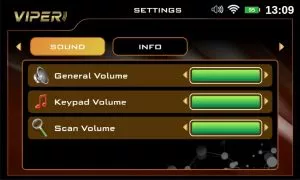
Sound Settings
The device features various audio alerts depending on the search system used.
Within the device’s settings, you can adjust the volume of the sound and various alerts:
General sound: It controls the general volume of the device sound (speaker sound volume).
Keypad sound: to adjust the sound volume of control panel buttons
Scan sound: adjust the sound volume of sound issued when conducting the ground scan via the scanning tools
Power
Use this option to save power and energy of battery during device usage.
By using this option, the battery life time will be extent 50% at least ant it depends on the type of searching system and type of connected sensor
Reset
Here the user can set the following options
Reset Settings: reset general settings without deleting previously saved scan files.
Factory Settings: reset to the factory values (the values when purchasing the device from the factory) while deleting the saved files
Clear Memory: clean memory to free up the device’s memory of all saved files.
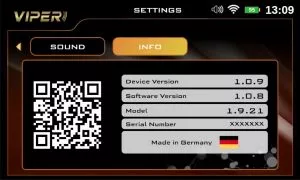
Viper Device information
This screen displays the device information, which are:
Device Version
Software version
Device Model
Serial Number
Manufacturer Country
QR code: the user can read it to obtain useful information about the device, including the manufacturer website
Security settings
Pin Lock: activate or deactivate the screen lock
Set Pin: here user can set a pin number (a number that without entering it correctly any person can’t access and login to the device software program)
Search Systems
Search Systems
1 – Automatic Long-Range Locator [AUTO LRL]
AUTO LRL search system uses a special probe called the Intelligent Multi Transceiver Unit or I.M.T.U, to search for the signals of potential targets within the long-range scanning field and the reflected signals are received through a pair of antennas.
It is an advanced search system that covers large regions of the search area and this system has the ability to automatically identify all types of buried metals within a scanning area of up to 3000 m and depths up to 100 m, and display the results in the form of values that indicate the percentage of detected targets in the surround of the prospector.
Here is a list of settings that can be adjusted by the user:
Distance
It is the distance in front-range or direction of search and can be set in 0 – 3000 m range
Depth
It is the maximum depth of possible targets that the device can reach to find potential targets, its value can be set in 0 – 100 m range
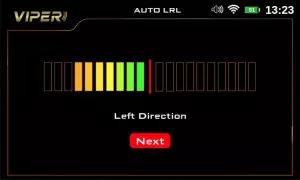
After selecting of previous settings the user can start the search process , and during search the antennas will move left or right depending on possible nearby targets , a visual indicator on screen will guide the user as it display a left or right progress bar with gradient colors from green (minimum) to red(maximum value) depending on progress bar value .
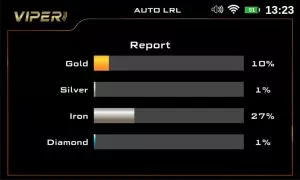
The user must track the movement of antennas tell he got a best signals and after finishing he can move to next screen “Report” screen that will display a visual report about possible target as four horizontal bars (gold – silver – iron – diamond) , every bar will display an estimated percentage value that indicate probability of target composition.
2 – Control Long-Range Locator [CTRL LRL]
The frequency control system is one of the new technologies and important features that have been incorporated into Infinity Max Pro, which enables the user to choose the exact value of the search frequency in order to search for any type of targets that the prospector tries to reach and find, thus ensuring more accurate results.
When searching using this system, the user can also set various other values and settings related to the search, which are search frequency, soil type and front distance as it is detailed below:
Soil Type
It is the type of soil and can be set depending on the ground that the prospectors search in it, and can be set to one of following types:
Rock – Neutral – Mixed – Metallic – Clay – Sandy – Mineral – Chalky –Salty
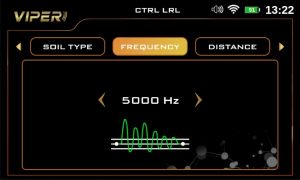
Frequency
User can set the custom search frequency value manually using this option.
The values range is between 100 and 5000 MHz
Distance
It is the maximum distance between user location and the target position during the searching process. It means that user can search custom circular distance around himself and this distance start from 0 to 3000 m.
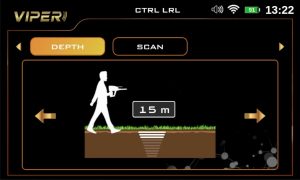
Depth
It is maximum depth of possible targets that the device can reach to find potential targets, its value can be set in 0 – 50 m range
After adjusting all of previous settings the user moves to scan screen and press “start scan” button to begin the search process.
The results screen will display a circular indicator, the direction arrow reflects the direction of antennas in degrees, beneath it the signal graph and on the right the inclination bar (alignment tool) that explained previously.
A small digital compass displayed in top-left corner of screen that point to north.
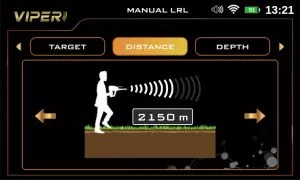
3 – Manual Long-Range Locator [MANUAL LRL]
This search Viper system uses the Intelligent Multi Transceiver Unit or I.M.T.U, which sends high-frequency wave signals in the direction of the search, and the reflected signals are received through a pair of antennas, in this system it is possible to specify the type or program of the target to be searched for, this option means that the device does not receive any signal except for the target signal that has been selected, with options to set the front distance up to 3000 m and the depth up to 50 m before starting the search, this system contains 11 separate search programs, which can be selected from the list of targets.
In this system, the search values and settings are manually adjusted by the user according to his preferences before starting the search, and the following values can be adjusted:
Target
User can choose in Viper the target type, that means a type of metal the target is made of, and he can choose from preset search programs that include all types of ferrous and non-ferrous metals
The distance value reflects the scanning field in the forward direction, and the value can be chosen accurately within a range between 0 – 3000 meters
Depth
It is the Viper value of the maximum search depth that can be accessed through the current search settings, and the value can be set precisely within the range from 0 to 50 meters.
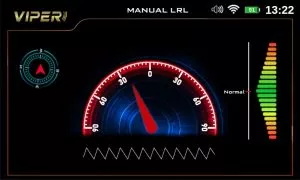
After adjusting the previous search settings, a digital compass appears on the Viper device’s screen, containing an indicator indicating the direction of the device (for example, towards the north), with a graded indicator in the form of a semicircle that represents the direction of movement of the antennas according to the user’s movement when searching.
Among the important features that allow the user to accurately and correctly adjust the angle of inclination of the Viper device is the gradient tilt indicator, which represents the degree of inclination of the device from the horizon, the green color indicates the correct values, and the red color for the wrong values of the inclination angle.
4 – Ionic System [IONIC]
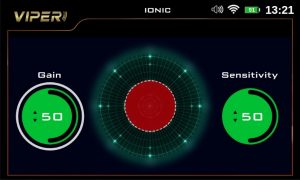
Ionic system has been developed according to a completely new technology, which is the first of its kind in metal detectors, and is a major development from the traditional system found in Mega Detection and competing devices as well, as the new technology allows accurate detection of ionic fields resulting from metal targets buried underground ,thanks to the Intelligent Multi Transceiver Unit (I.M.T.U) that ensures accurate reception and processing of signals, with the ability to control some signal settings on the screen to obtain more accurate results.
After selecting the ionic system, the device will start search directly here are the possible settings that can be set:
Sensitivity
During the search process and according to the target scanning, the ionic system will make special scan sound and it represents the target ability or the distance between user and the target.
The user can change the value of sensitivity to analyze the output sound, its value range is between 0 and 100.
Gain
It is the signal gain or in other words signal strength, the user can control the signal strength using this option, and it presented as percentage value (0-100).
Generally, to set the device to detect large size targets, reduce this value and increase this value for detection of small targets.
The previous values presented in result screen as circular percentage indicators on right side and signal power indicator displayed below, there is also a save option to save results into device memory.
5 –Bionic System [BIONIC]
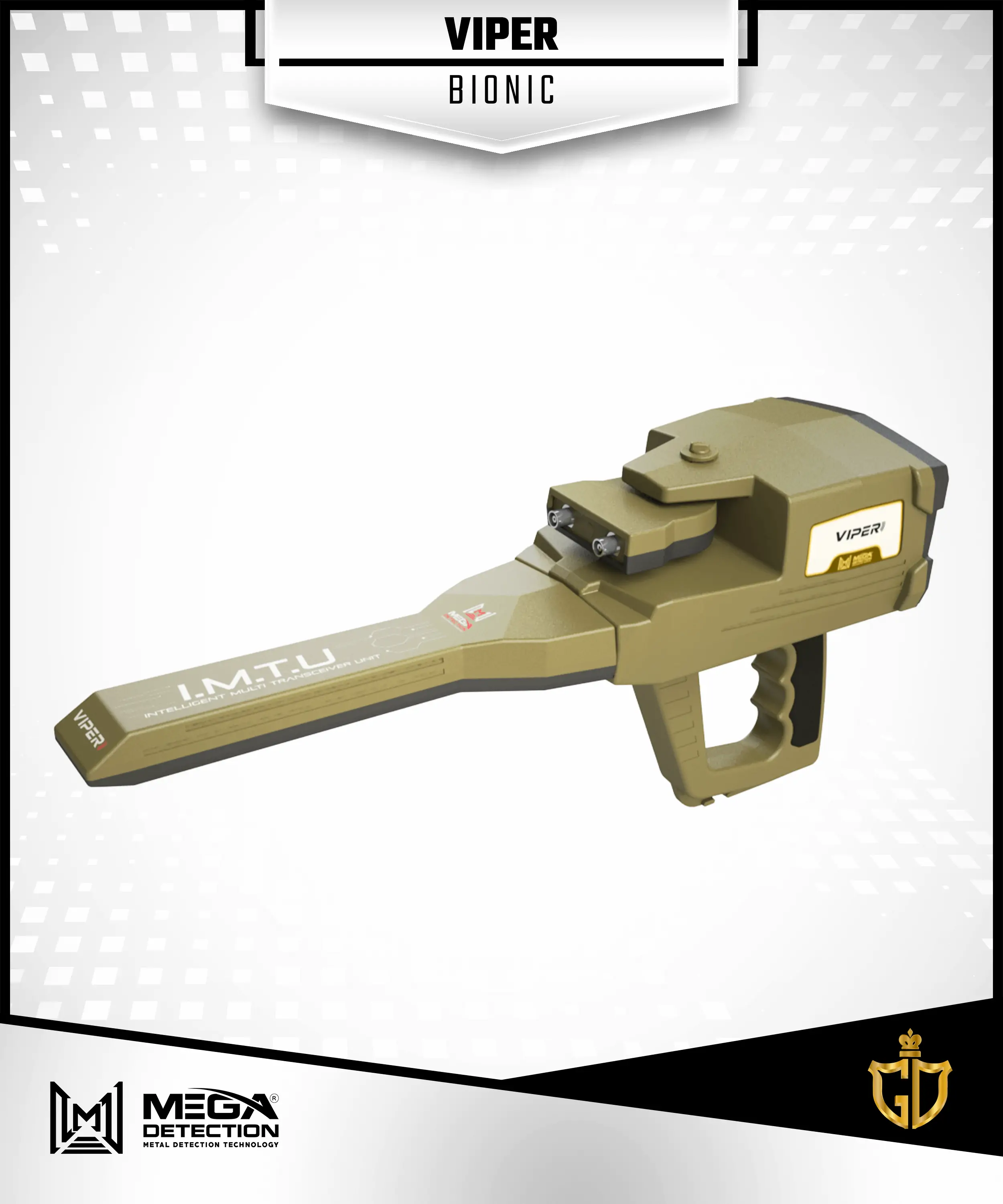
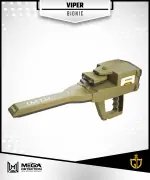
This search system is similar to the ionic search system in how it works and uses the Intelligent Multi Transceiver Unit (I.M.T.U) to perform the scan.
The difference here is that ionic signals are captured from a specific metallic object.
For example, from gold, then the search is directed towards capturing ionic signals similar to metal objects buried underground within the surrounding area.
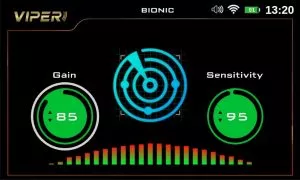
After selecting the ionic system and pointing the IMTU to specific target made of the metal that will be searched for, the Viper device will start search in direction of user movement and there are same options as in Ionic system can be adjusted:
Sensitivity
The user can change the value of sensitivity to analyze the output sound, its value range is between 0 and 100.
Gain
It is the signal gain or in other words signal strength, the user can control the signal strength using this option, and it presented as percentage value (0-100).
Generally, to set the device to detect large size targets, reduce this value and increase
this value for detection of small targets.
The previous values presented in result screen as circular percentage indicators on right and left sides and signal power indicator displayed below, there is also a save option to save results.
6 –Smart Detection System [SMART DETECT]
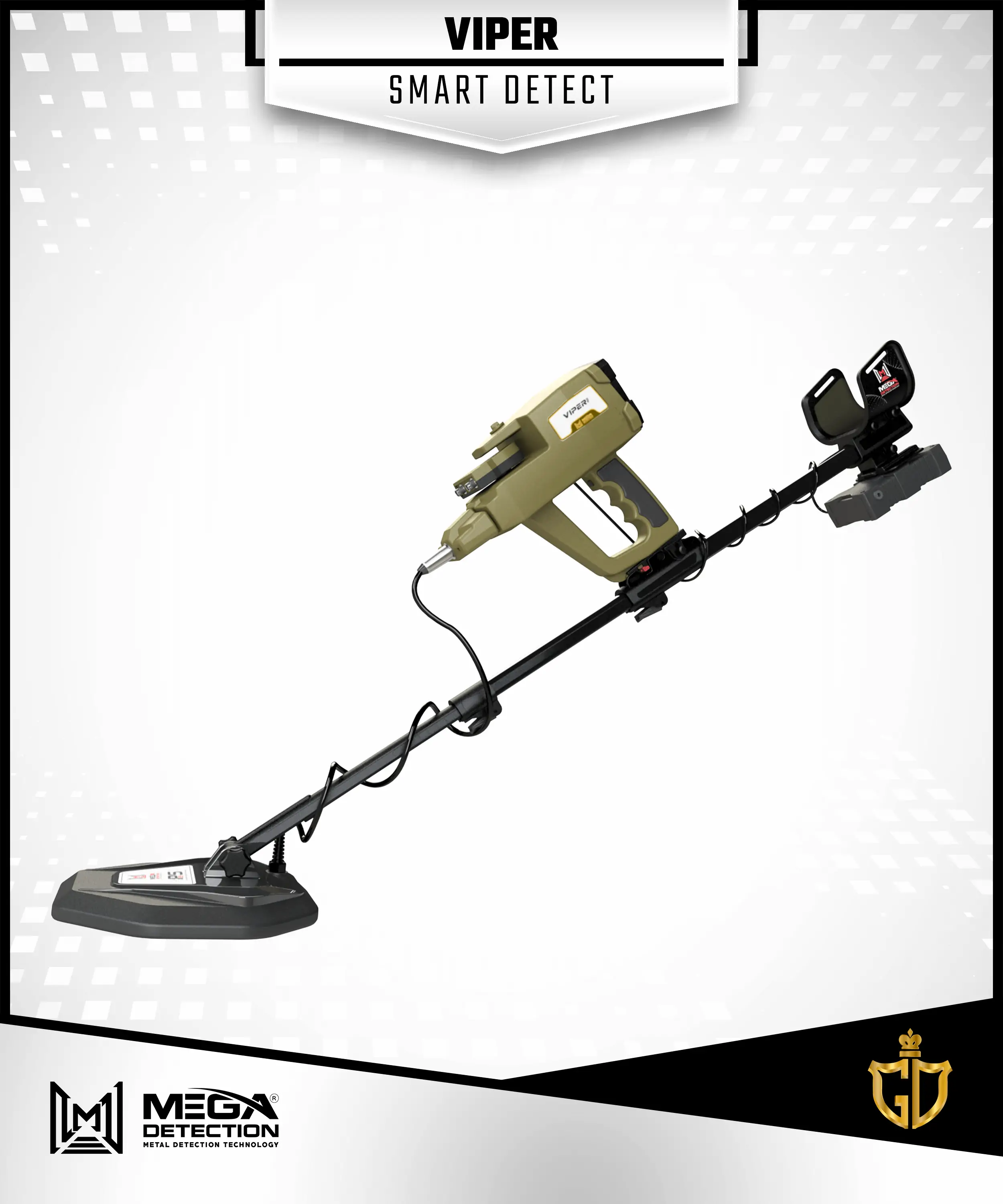
Smart detect system is a perfect choice for prospectors to find natural gold nuggets, small relics, jewelry, coins and other metal types at small depths about 3 meters or less.
Developed with enhanced technology in terms of features, metal discrimination and two search coils (PS36, PS28) to offer best performance in all terrain and soil types.
When conducting a search with the smart detection system there are two sub modes that correspond to each search coil:
1 – Mode 1 / PS36
Use the PS36 [a coil with 36 cm diameter] to detect targets, the Viper device display a screen that includes indicators and buttons through which the detection settings and options can be set, as follows:
Calibration
By selecting this button and pressing the OK button, the user can perform a calibration of the coils before starting the search, for more accurate results.
Detection Mode
Choosing the detection mode is done by activating one of the three buttons corresponding to detection mode, which are:
1 – All Metals
It is a general detection mode, by activating it, the device can receive signals from ferrous and non-ferrous metal targets.
2 – Non Ferrous
By activating this detection mode, the device will filter the signals to receive signals of non-ferrous metal targets only such as gold, silver and copper, meaning that the device ignores the signals of targets made of ferrous materials
3 – Ferrous
This detection mode is opposite to the previous mode, where the Viper device receives signals from iron targets only, such as iron, and ignores the signals of other metals
Sound
The sound that comes out through the internal speaker on the Viper device is enabled or not through this option, which is a useful in the case that the user wants to know the type of target through the digital indicator without hearing the sound like in noisy environments.
Target ID Indicator
It is a circular digital graphic indicator that displays in the center of the circle a number called the digital target identifier (Target ID) corresponding to a specific type of metal such as gold.
On both sides of the circle, there are two symmetrical semi-circular indicators made up of bars that are gradually colored from bottom to top according to the strength of the target signal and according to the selected detection mode.
In case of the All Metal detection mode, the left semicircular indicator is activated only if the target is non-ferrous and is in gradual colors from yellow to red, however in case of a ferrous target, the right indicator is activated only, and the color gradient is from green to blue.
In the case of Non Ferrous detection mode, the two indicators are activated in gradual colors from yellow to red (number of colored bars depends on signal strength).
In the case of Ferrous mode, the two indicators are activated in gradual colors from green to blue.
Threshold
This option can control the threshold of sound of the received signals, Viper user can set it using vertical indicator with values from 1 to 6 , it increases with number that mean higher threshold value correspond to hearing weakest signals for example coming from very small gold nuggets .
2 – Mode 2 / PS28
Use the PS28 [a coil with 28 cm diameter] to detect targets, the Viper device display a screen that includes two vertical indicators on sides and graphical indicator in middle.
The explanation these indicators as follows:
Sensitivity
The left vertical indicator define sensitivity level , user can set it to one of 9 levels , the higher the sensitivity value corresponding to detection of smaller targets and vice versa .
Threshold
It is right-side vertical indicator define threshold value , user can set it to one of 9 values the higher the value corresponding to hearing sounds of smallest targets , and smallest values match hearing sound of larger targets.
Signal Indicator
It is graphical indicator in middle of Viper screen, display a Target ID number and FE / NONFE indicators that enabled based on metal type ( ferrous or non-ferrous) , plus the visual signal indicator which displays a set of circles with increasing diameters from top to bottom that light up (activated) based on the signal strength of the detected target.





























Reviews
Clear filtersThere are no reviews yet.